You're staring at a motherboard with an LGA 1151 socket and wondering which CPU will actually make it sing. Maybe you picked up a Z390 board at a great price, or you're breathing new life into an older build — either way, you need a processor that delivers real performance without blowing your budget. The good news? The LGA 1151 lineup still has plenty of firepower in 2026, and this guide cuts through the noise so you can pick the right chip the first time.
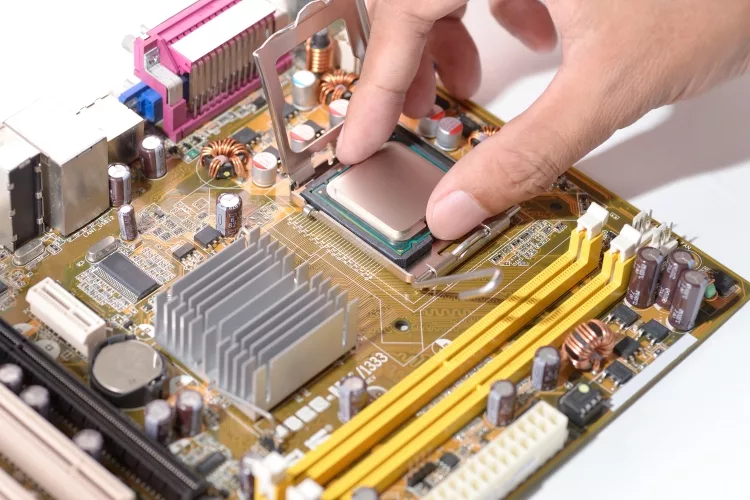
The LGA 1151 socket covers Intel's 6th through 9th generation processors, spanning a huge range of performance tiers. Whether you're building a budget gaming rig, a capable home office machine, or pushing for overclocking glory, there's an LGA 1151 CPU that fits your exact needs. Just remember: 8th and 9th gen chips (300 Series) require a 300 Series motherboard, while 6th and 7th gen use 200 Series boards — they don't mix.
We've dug into the specs, tested real-world performance data, and compared prices across dozens of listings to bring you the seven best LGA 1151 CPUs available right now. Whether you're a gamer, a content creator, or just someone who wants a fast, reliable desktop, you'll find your answer below. And if you want to squeeze even more out of your hardware, check out our guide on how to overclock your CPU and GPU after you've landed on your pick.
Contents







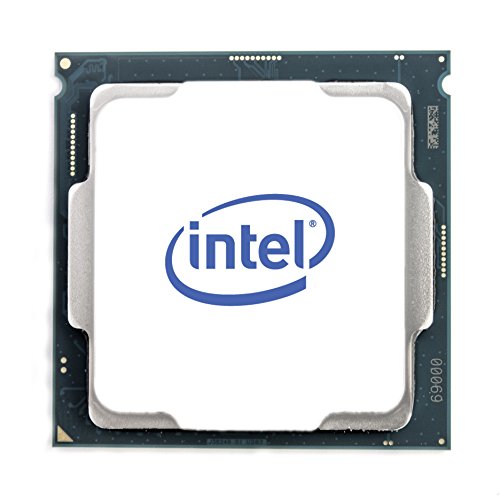
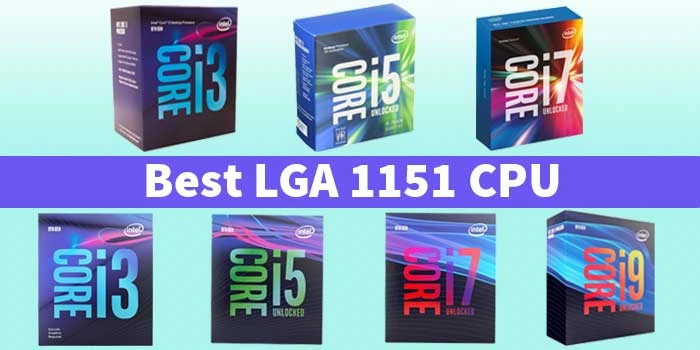
If you want the absolute best the LGA 1151 platform has to offer, the i9-9900K is it — full stop. Eight cores and sixteen threads running at up to 5.0 GHz turbo means this chip handles everything from 4K gaming to video rendering without breaking a sweat. It launched as one of Intel's finest consumer processors ever built, and even by 2026 standards it holds up remarkably well for demanding workloads.
The 16 MB of L3 cache (a chunk of fast memory on the chip itself that speeds up repeated tasks) is a big reason why this CPU feels snappy even under heavy multitasking. Overclocking potential is exceptional — a quality Z390 or Z370 motherboard paired with decent cooling can push this chip well beyond its stock speeds. You'll want a solid CPU cooler though; the i9-9900K runs hot at stock and even hotter when overclocked, so don't cheap out on thermal management.
This processor requires a 300 Series chipset motherboard and won't fit older 200 Series boards. It also includes Intel UHD Graphics 630, giving you a display output fallback if you ever need to troubleshoot a GPU. For anyone building or upgrading a high-performance LGA 1151 rig in 2026, this is the chip to beat.

Pros:
Cons:
Pure gaming performance is where the i7-9700K absolutely shines. Eight cores running up to 4.9 GHz turbo with no hyperthreading (a technology that lets each core handle two tasks at once) might sound like a downgrade from the i9, but for gaming it barely matters — and you get nearly identical frame rates at a noticeably lower price point. Games primarily lean on single-core speed and core count, and the i7-9700K delivers both in spades.
The i7-9700K is one of the fastest gaming processors ever made for the LGA 1151 socket. Its 12 MB of L3 cache keeps game data close to the processor for faster load times, and the unlocked multiplier means you can push it even further on a Z-series board. Competitive gamers and content streamers who prioritize high frame rates will find this chip hits the sweet spot between performance and value.
Like the i9-9900K, it's locked to 300 Series chipset boards. The included integrated graphics give you a safety net if your discrete GPU ever fails. Thermal output is more manageable than the i9, though you still want a decent aftermarket cooler to get the most out of it.

Pros:
Cons:
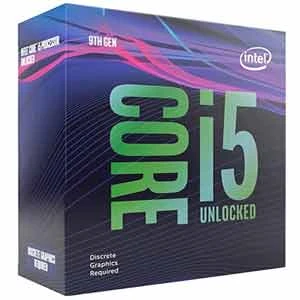
Six cores, six threads, and a base clock of 3.7 GHz that turbos all the way up to 4.6 GHz — the i5-9600K is a gaming powerhouse that punches well above its price bracket. It was one of the most popular gaming CPUs of its generation, and with an unlocked multiplier it remains a fantastic option for enthusiasts who love squeezing extra performance out of their hardware without a flagship price tag.
Gaming performance lands impressively close to the i7-9700K in most titles. The 9 MB of L3 cache is smaller than the i7 and i9, but in real-world gaming scenarios the gap is rarely noticeable. Overclocking the i5-9600K to 5.0 GHz is achievable with quality cooling and a Z370 or Z390 board, making this chip a favorite in the enthusiast community. If you're comfortable tweaking BIOS settings, you can extract serious extra speed here.
It's worth noting this chip lacks hyperthreading, so heavy multitasking — like streaming while gaming, or running video encoding in the background — will tax it more than the i9. For dedicated gaming and light productivity, though, it's hard to find better value on the LGA 1151 platform.
Pros:
Cons:
The i9-9900KF is essentially an i9-9900K with the integrated graphics disabled — and that single difference often translates into a lower price tag. If you're running a dedicated GPU (which most serious gamers do anyway), you don't need integrated graphics. The KF variant gives you identical CPU performance at a potential cost savings, making it a smart buy if you know a discrete graphics card will always be in your system.
Specs are identical to the standard i9-9900K in every meaningful way: 8 cores, 16 threads, 5.0 GHz max turbo, 16 MB of L3 cache, and full overclocking capability on Z-series 300 Series boards. Performance in games, creative applications, and workstation tasks is indistinguishable from its iGPU-equipped sibling. The unlocked multiplier means your overclocking ambitions remain fully intact.
The one caveat: without integrated graphics, if your discrete GPU fails you'll have no video output to troubleshoot with. That's a minor inconvenience for most users, but worth knowing. For a dedicated gaming or creative workstation where the GPU stays in permanently, the 9900KF is an excellent and often underrated choice.

Pros:
Cons:
If budget is your primary concern and gaming is your goal, the i5-9400F delivers more performance per dollar than almost anything else on this list. Six cores running from 2.9 GHz base up to 4.1 GHz turbo keeps it competitive in the games you actually play, while the 65W TDP (thermal design power — how much heat the chip produces under load) means it runs cool and quiet even with modest cooling solutions.
No integrated graphics and a locked multiplier (meaning you can't overclock it) keeps costs down, but for a budget gaming build those are acceptable trade-offs. The i5-9400F consistently outperforms older quad-core chips in gaming, and paired with a mid-range GPU it handles modern titles without creating CPU-side bottlenecks. The 9 MB L3 cache keeps things fluid across popular game engines.
This is the processor you recommend to a friend who needs a capable gaming PC without spending a fortune. It's compatible with 300 Series chipset boards only, and since it lacks integrated graphics you must install a discrete GPU before you'll see anything on your monitor. For those building from scratch on a tight budget, check out relevant builds in our tech and electronics category for compatible component pairings.

Pros:
Cons:
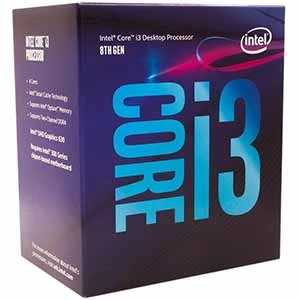
The i5-8400 was a game-changer when it launched — Intel jumped from 4 cores to 6 cores in the mainstream i5 lineup for the first time, and the gaming community noticed immediately. Even in 2026 it remains a capable chip for everyday computing and moderate gaming. Six cores and twelve threads (yes, this one does have hyperthreading) running up to 4.0 GHz turbo handle most tasks without complaint.
Intel UHD Graphics 630 is included, which means you can run your display directly from the motherboard without a dedicated GPU — handy for office machines or HTPC (home theater PC) builds. The i5-8400 pairs beautifully with budget-friendly B360 and H370 motherboards, keeping your total platform cost low while still delivering solid performance for web browsing, office work, light photo editing, and older or less demanding games.
The locked multiplier means no overclocking, but with six real cores handling twelve threads simultaneously the chip stays responsive under multitasking loads that would choke older quad-cores. If you're reviving a pre-owned 8th gen system or building a no-frills productivity machine, the i5-8400 hits a practical, wallet-friendly sweet spot. For more on getting the most from your PC hardware setup, our guide on how to clean a motherboard is worth bookmarking for maintenance tips.
Pros:
Cons:
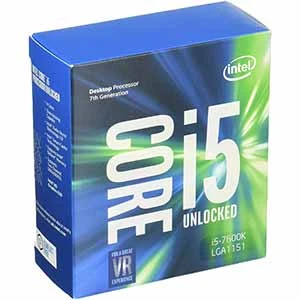
The i3-8100 is Intel's entry point into the 8th gen LGA 1151 lineup, and it's a genuinely capable little chip for the right use case. Four cores and four threads running at a fixed 3.6 GHz (no turbo boost on this one) handle everyday computing tasks, media playback, light gaming, and general productivity without any fuss. It's the processor you pick when the budget is tight and performance demands are modest.
Intel UHD Graphics 630 is on board, so you get a working display output straight from the motherboard. That makes the i3-8100 a natural fit for office desktops, school computers, HTPC builds, and basic home machines where a discrete graphics card isn't needed. Power efficiency is a highlight here — this chip sips electricity and runs cool, often working fine with the included Intel box cooler even under sustained loads.
It won't win any gaming benchmarks against the 9th gen chips on this list, and there's no overclocking due to the locked multiplier. But for the specific job of building or upgrading a dependable, affordable everyday computer on the LGA 1151 platform, the i3-8100 does exactly what it promises. Just make sure your board supports 300 Series chipsets before you order.
Pros:
Cons:

Choosing the right LGA 1151 processor comes down to four core questions: What's your motherboard chipset? What's your primary use case? What's your budget? And do you need integrated graphics? Answer those honestly and your choice becomes obvious. Here's what each factor actually means for you.
This is the most important compatibility check you'll make. 8th and 9th gen processors (Coffee Lake and Coffee Lake Refresh) require a 300 Series chipset motherboard — boards built on Z390, Z370, H370, B365, or B360. Older 6th gen (Skylake) and 7th gen (Kaby Lake) chips use 200 Series boards. Mixing them won't work — the socket looks identical but the pin layout differs in ways that make mismatched pairings either fail to POST (start up) or potentially damage the chip. If you're buying a new CPU today, a 300 Series board gives you access to all seven chips on this list.
For reference, Wikipedia's LGA 1151 article has a comprehensive breakdown of which processor generations are compatible with which chipsets — worth a quick read if you're uncertain about your board. You might also find our roundup of the best X58 motherboards useful if you're researching older Intel platforms alongside this one.
Gaming primarily benefits from high single-core clock speeds and a minimum of 6 cores. The i7-9700K and i5-9600K hit that sweet spot beautifully. Content creation — video editing, 3D rendering, streaming, compiling code — rewards core count and hyperthreading more heavily. For those workloads, the i9-9900K and i9-9900KF pull ahead thanks to their 8 cores and 16 threads. If you primarily browse the web, handle documents, and do light photo work, the i5-8400 or i3-8100 handle all of that comfortably without overkill spending.
Processors with a "K" suffix (i9-9900K, i7-9700K, i5-9600K) have an unlocked multiplier — the setting that controls clock speed — which means you can push them faster than their rated specifications on a Z-series motherboard. This can add meaningful performance for free if you're comfortable in BIOS settings. Non-K chips (i9-9900KF aside — the "F" just means no iGPU, the K is still there), including the i5-9400F, i5-8400, and i3-8100, run at fixed speeds. If overclocking interests you, a Z370 or Z390 board paired with a K-suffix CPU is the combination to buy. Our guide on how to overclock your CPU and GPU walks you through the process step by step.
The "F" suffix on the i9-9900KF and i5-9400F means these chips ship without functional integrated graphics. If you're building a dedicated gaming rig with a discrete GPU permanently installed, that's no problem — you save money, and performance is identical. But if you want the flexibility to run your monitor directly from the motherboard (for office use, video playback, or GPU troubleshooting), stick to chips without the F suffix. The i5-8400 and i3-8100 both include Intel UHD Graphics 630, making them the go-to picks for integrated-graphics use cases.
Yes, for the right use case. If you already own a 300 Series motherboard or can find one cheaply, pairing it with an i9-9900K or i7-9700K gives you a genuinely fast system for gaming and productivity at a fraction of new-platform prices. The platform is mature, so you'll pay used-market prices on CPUs too. It's not the platform to build from scratch if budget is no object, but for value-driven builds it absolutely holds up.
Intel released two incompatible versions of LGA 1151. Version 1 supports 6th gen (Skylake) and 7th gen (Kaby Lake) processors paired with 100 and 200 Series chipset boards. Version 2 supports 8th gen (Coffee Lake) and 9th gen (Coffee Lake Refresh) processors paired with 300 Series chipset boards. The socket looks physically identical, but the electrical layout is different — swapping CPUs between versions will not work and can damage your hardware.
Yes, in most cases — but it requires a BIOS update first. Z370 boards were designed for 8th gen chips, but many manufacturers released BIOS updates adding 9th gen Coffee Lake Refresh support. Check your motherboard manufacturer's support page for a compatible BIOS version before purchasing a 9th gen chip for a Z370 board. Z390 boards support 9th gen natively without any updates needed.
The i9-9900K does not include a stock cooler in the box, and running it without a quality aftermarket solution is asking for thermal throttling (when the CPU slows itself down to avoid overheating). At minimum, go with a reputable 120mm or 240mm all-in-one liquid cooler, or a high-performance air tower like the Noctua NH-D15. If you plan to overclock, a 240mm or 360mm AIO is the stronger recommendation. Budget at least $40–80 for cooling when pricing out an i9-9900K build.
The i9-9900K is the clear answer. Streaming while gaming is one of the most demanding dual-task workloads a CPU faces, and you need both strong single-core performance for gaming and plenty of spare threaded headroom for your encoding software. Eight cores and sixteen threads at up to 5.0 GHz gives you enough runway to handle both without dropping frames. The i7-9700K is a close second for lighter streaming setups, but the i9's hyperthreading makes a real difference under heavy simultaneous loads.
Yes, as long as your CPU includes integrated graphics — look for chips without the "F" suffix. The i9-9900K, i7-9700K, i5-9600K, i5-8400, and i3-8100 all include Intel UHD Graphics 630, which handles 4K video playback, web browsing, and light office tasks without a discrete card. The i9-9900KF and i5-9400F have no integrated graphics and require a dedicated GPU to output video. For HTPC or productivity-only builds, any chip with the UHD 630 works fine.


About Mike Constanza
For years, Mike had always told everyone "no other sport like baseball." True to his word, he keeps diligently collecting baseball-related stuff: cards, hats, jerseys, photos, signatures, hangers, shorts (you name it); especially anything related to the legendary player Jim Bouton.Mike honorably received Bachelor of Science degree in Business Administration from University of Phoenix. In his graduation speech, he went on and on about baseball... until his best friend, James, signaled him to shut it.He then worked for a domain registrar in Phoenix, AZ; speciallizng in auction services. One day at work, he saw the site JimBouton.com pop on the for-sale list. Mike held his breath until decided to blow all of his savings for it.Here we are; the site is where Mike expresses passion to the world. And certainly, he would try diversing it to various areas rather than just baseball.
You can get FREE Gifts. Or latest Free phones here.
Disable Ad block to reveal all the info. Once done, hit a button below
 im
im